Sale Price:
$30.00
Original Price:
$50.00
Updated Product Description
HDR Performance HT Buddy was designed as a companion application for Haltech NSP, adding the fine-tuning, table-editing, datalog-analysis, comparison, and smoothing tools that I wanted in my own professional tuning workflow.
As a professional tuner, I have worked with nearly every major tuning software and hardware platform available. Over time, I identified features that were especially useful in certain platforms, along with areas where existing software felt limited, cumbersome, or incomplete. HT Buddy was created to bring those missing capabilities together and fill that gap with a cleaner, more flexible workflow built around real-world calibration work.
Import fuel, spark, custom, and supported 4D tables while preserving the original calibration as an untouched reference. Make controlled changes to a separate Edited Working Copy using percentage adjustments, interpolation, selectable smoothing strength, axis editing, undo and redo, and detailed 2D or 3D visualization.
The built-in CSV datalog tools allow you to analyze logged engine data, calculate recommended VE corrections, play logs back through the software, and trace the current operating location across the table and graph. Correction strategies can use Lambda Error, Short-Term Fuel Trim, Long-Term Fuel Trim, or combined data depending on the tuning method being used.
HT Buddy also includes Beginner, Novice, and Expert interface modes, allowing users to choose a simplified workflow or access the complete advanced toolset. Projects can be saved in the dedicated HDRHT format, preserving tables, references, axes, graph settings, correction maps, 4D layers, and project details.
Core Features
Fuel, Spark, and Custom table editing
Standard 2D and structured 4D table support
Imported reference and Edited Working Copy comparison
Percentage-based table adjustments
Horizontal, vertical, and 2D interpolation
Adjustable smoothing strength and direction
2D and 3D graph visualization
CSV datalog analysis and playback
Live operating-cell trace
VE correction maps using lambda and fuel-trim data
Editable and resizable table axes
Beginner, Novice, and Expert interface modes
Undo and redo support
HDRHT project saving and opening
HT/NSP-compatible table copying and importing
Built by a tuner, for tuners—designed to fill the gaps, improve table control, and make detailed calibration work faster and more organized.
Third-Party Disclaimer
HDR Performance HT Buddy is independently developed companion software and is not manufactured, sponsored, affiliated with, or endorsed by Haltech. Haltech and NSP are trademarks of their respective owner.
Continued Development
More features will be added in future updates as HT Buddy continues to develop. New tools and workflow improvements will also be considered based on user feedback and real-world tuning needs.
Current 4D Table Compatibility
At this time, 4D table importing has been verified specifically with alcohol-percentage Axis 0 tables used in flex-fuel Spark and Fuel mapping configurations. Other 4D table types may use different structures or scaling and are not yet officially verified. Additional 4D compatibility will be evaluated and added in future updates.
HT Buddy will continue to evolve, with more features planned for future releases. Development priorities and new tools will be influenced by real-world use and customer feedback.
Current 4D importing support has been verified with alcohol-percentage-based flex-fuel Spark and Fuel tables. Support for additional 4D table configurations may be added as those formats are tested and validated.
Updated Product Description
HDR Performance HT Buddy was designed as a companion application for Haltech NSP, adding the fine-tuning, table-editing, datalog-analysis, comparison, and smoothing tools that I wanted in my own professional tuning workflow.
As a professional tuner, I have worked with nearly every major tuning software and hardware platform available. Over time, I identified features that were especially useful in certain platforms, along with areas where existing software felt limited, cumbersome, or incomplete. HT Buddy was created to bring those missing capabilities together and fill that gap with a cleaner, more flexible workflow built around real-world calibration work.
Import fuel, spark, custom, and supported 4D tables while preserving the original calibration as an untouched reference. Make controlled changes to a separate Edited Working Copy using percentage adjustments, interpolation, selectable smoothing strength, axis editing, undo and redo, and detailed 2D or 3D visualization.
The built-in CSV datalog tools allow you to analyze logged engine data, calculate recommended VE corrections, play logs back through the software, and trace the current operating location across the table and graph. Correction strategies can use Lambda Error, Short-Term Fuel Trim, Long-Term Fuel Trim, or combined data depending on the tuning method being used.
HT Buddy also includes Beginner, Novice, and Expert interface modes, allowing users to choose a simplified workflow or access the complete advanced toolset. Projects can be saved in the dedicated HDRHT format, preserving tables, references, axes, graph settings, correction maps, 4D layers, and project details.
Core Features
Fuel, Spark, and Custom table editing
Standard 2D and structured 4D table support
Imported reference and Edited Working Copy comparison
Percentage-based table adjustments
Horizontal, vertical, and 2D interpolation
Adjustable smoothing strength and direction
2D and 3D graph visualization
CSV datalog analysis and playback
Live operating-cell trace
VE correction maps using lambda and fuel-trim data
Editable and resizable table axes
Beginner, Novice, and Expert interface modes
Undo and redo support
HDRHT project saving and opening
HT/NSP-compatible table copying and importing
Built by a tuner, for tuners—designed to fill the gaps, improve table control, and make detailed calibration work faster and more organized.
Third-Party Disclaimer
HDR Performance HT Buddy is independently developed companion software and is not manufactured, sponsored, affiliated with, or endorsed by Haltech. Haltech and NSP are trademarks of their respective owner.
Continued Development
More features will be added in future updates as HT Buddy continues to develop. New tools and workflow improvements will also be considered based on user feedback and real-world tuning needs.
Current 4D Table Compatibility
At this time, 4D table importing has been verified specifically with alcohol-percentage Axis 0 tables used in flex-fuel Spark and Fuel mapping configurations. Other 4D table types may use different structures or scaling and are not yet officially verified. Additional 4D compatibility will be evaluated and added in future updates.
HT Buddy will continue to evolve, with more features planned for future releases. Development priorities and new tools will be influenced by real-world use and customer feedback.
Current 4D importing support has been verified with alcohol-percentage-based flex-fuel Spark and Fuel tables. Support for additional 4D table configurations may be added as those formats are tested and validated.

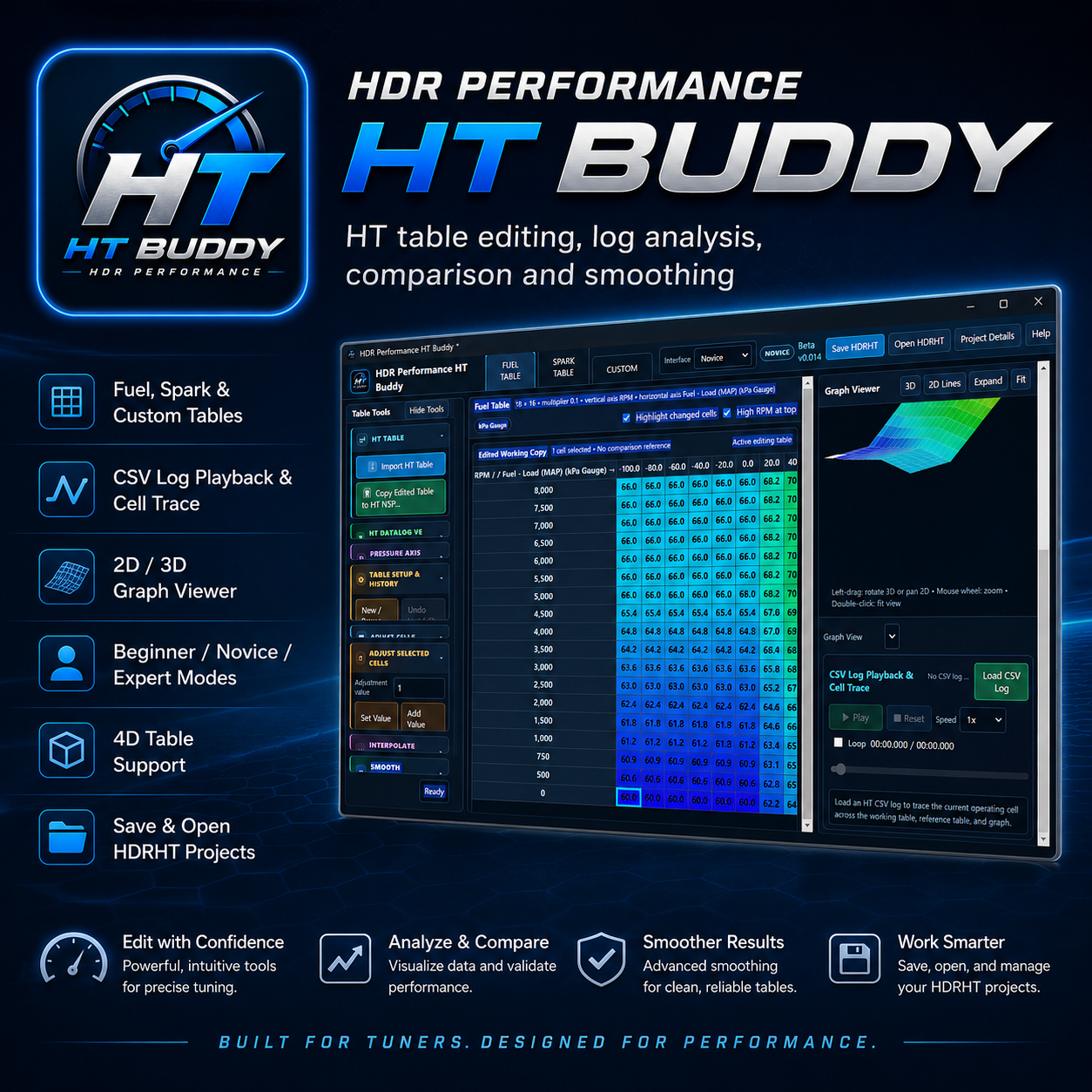 Image 1 of 3
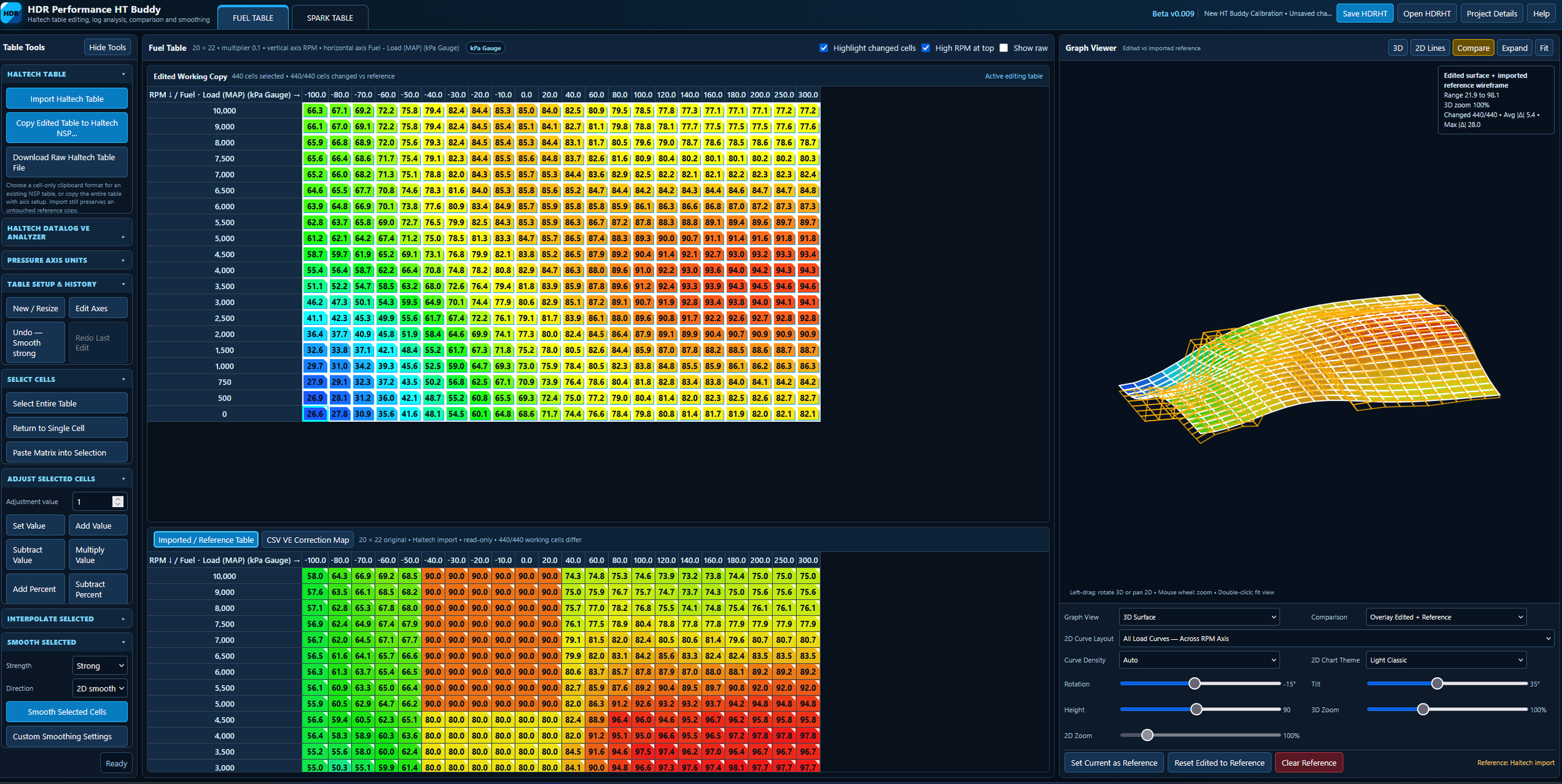 Image 2 of 3
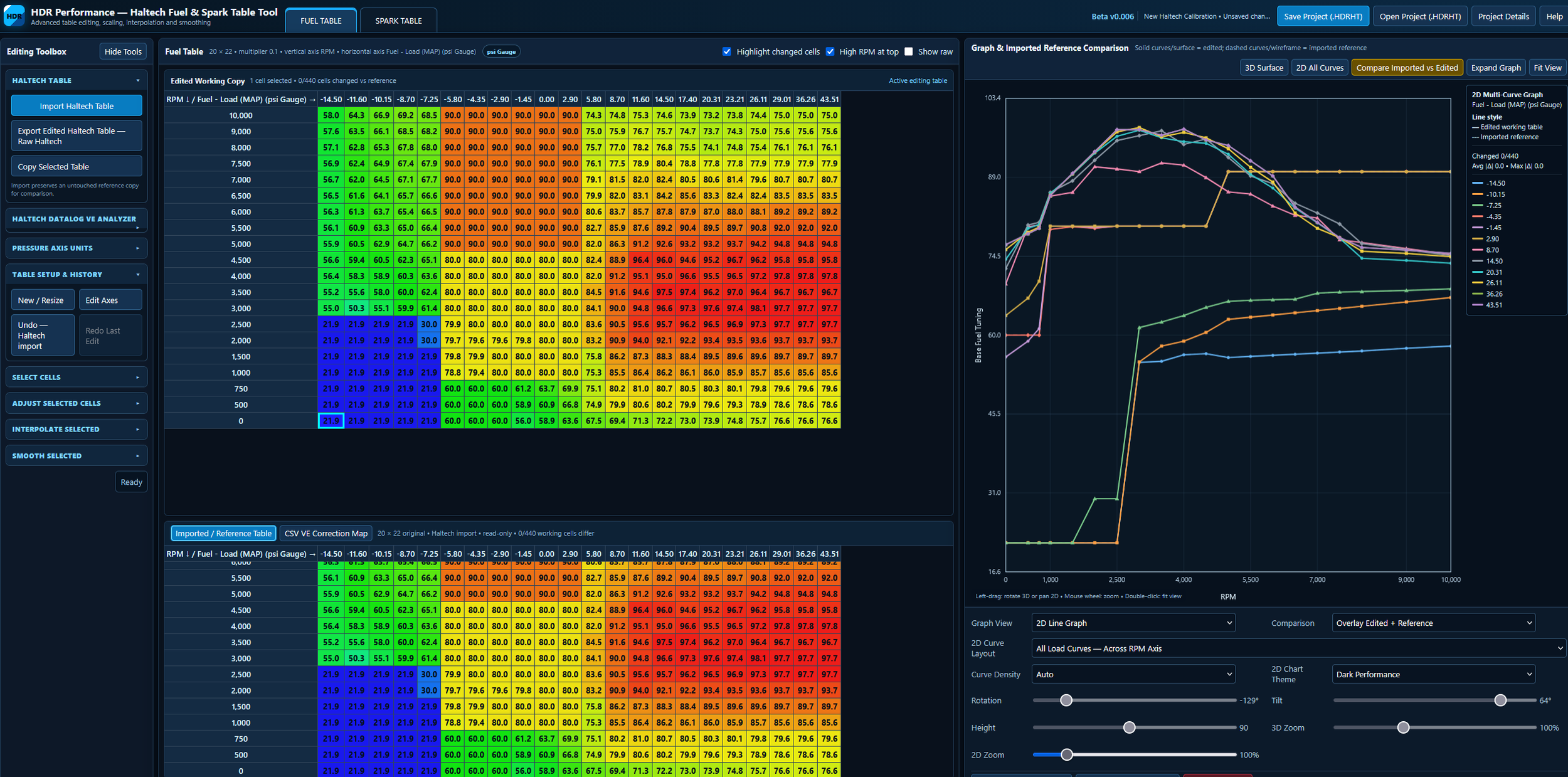 Image 3 of 3